

You come in from the cold and joke with your loved one that you need a vacation – “I hear Florida is nice this time of year, maybe we should hit the beach.” You don’t think anything of it and go on with your day. That evening, you start getting ads on your phone, laptop, TV, and smart speaker for swimsuits, sunglasses, and sun tan lotion. Suddenly, you get this creepy feeling, “are my devices listening to me?”
The simple answer is YES! They are using a new advertising targeting tactic called ultrasonic cross-device tracking.
What Is Ultrasonic Cross-Device Tracking?
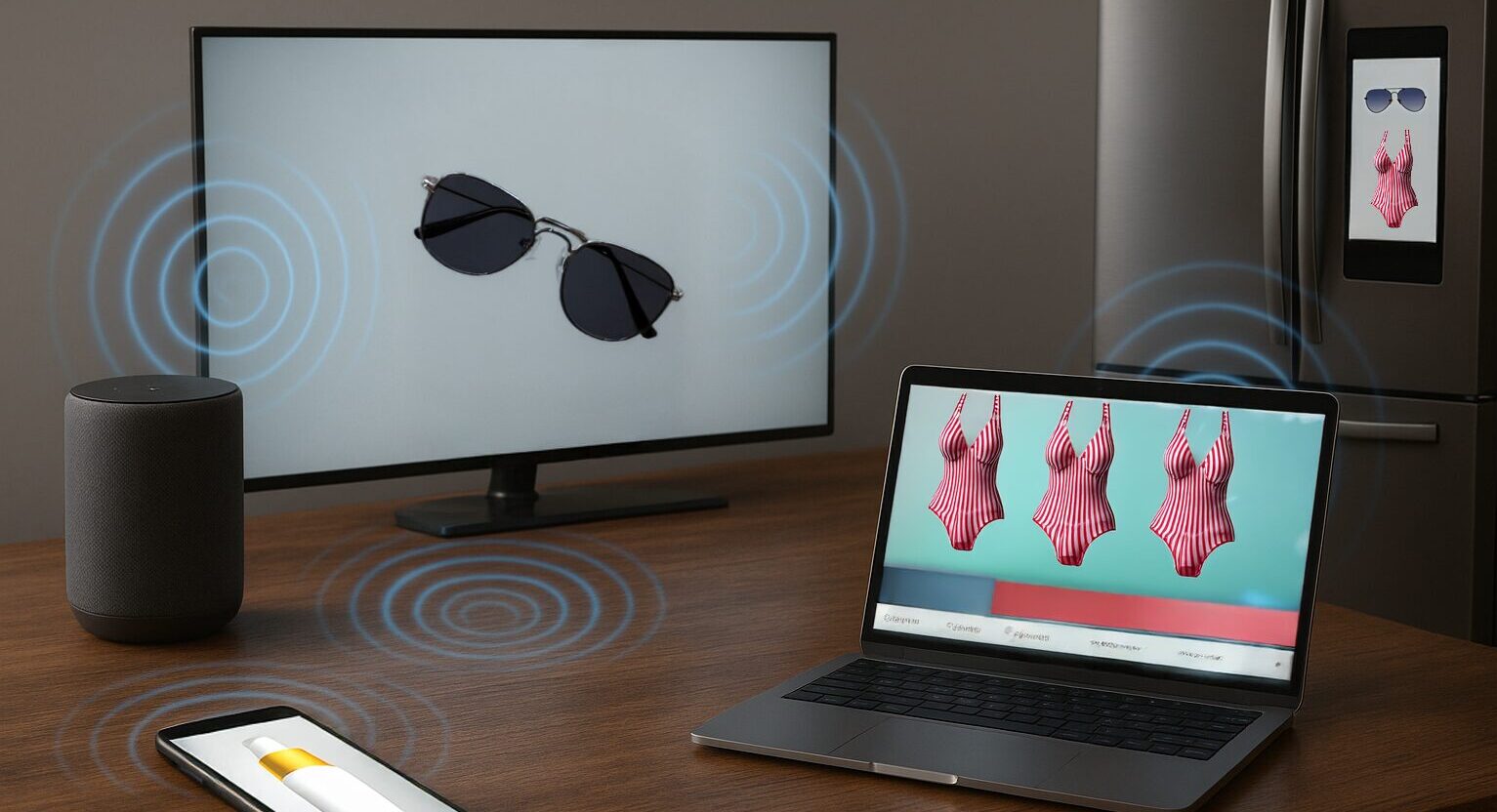
Companies have figured out how to hide little “sound beacons” inside ads, websites, or even TV commercials. These sounds are played at such a high pitch that humans can’t hear them — but your devices can. When your phone, tablet, or smart speaker “hears” one of these hidden sounds, it basically raises its hand and says, “Yep, that’s me!” Suddenly, advertisers know that your phone, your laptop, and your TV all belong to the same person — you. That’s how an ad you see on your TV ends up following you onto your phone or how your online shopping suddenly feels eerily specific.
Ultrasonic cross-device tracking uses high-frequency sound waves that humans can’t hear. The sound waves are broadcast and heard by different devicdes, such as a smart TV and a mobile phone. By embedding “ultrasonic audio beacons” into ads, websites, and apps, companies can track user behavior, location, and interests without explicit consent or awareness, leading to serious privacy concerns and targeted advertising. This method works by having one device emit an ultrasonic signal and another device detect it via its microphone or gyroscope, allowing for the creation of user profiles and the linkage of various online and offline activities.
How Ultrasonic Cross-Device Tracking Works
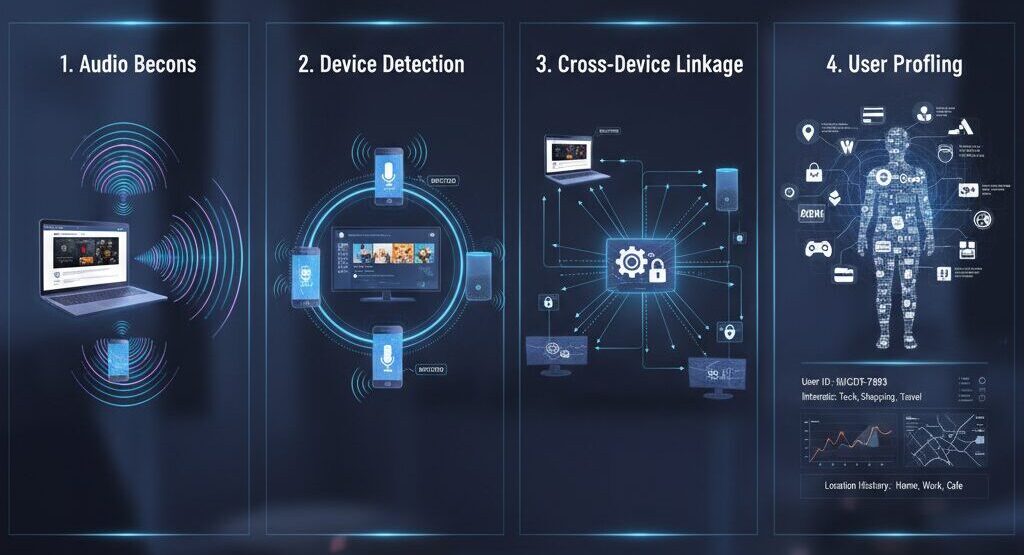
- Audio Beacons: Companies embed high-frequency sound signals into digital content like websites, apps, and even in-store advertisements.
- Device Detection: Other devices, such as smartphones or smart TVs, with access to their microphones or gyroscopes, can detect these inaudible tones.
- Cross-Device Linkage: The detected signal allows the system to link the activity on the device that detected the sound to the content the user was interacting with on another device.
- User Profiling: This linkage creates a profile of the user’s habits, interests, and location based on their combined device activity.
Why Do Marketers Use It?
One word: money.
The more they know about you — what you watch, what you search, where you shop — the easier it is to sell you things. And ultrasonic tracking makes that connection without you clicking anything or giving permission.
Cookies (those little files websites leave behind) at least pop up with “Accept” or “Reject.” But ultrasonic tracking? You don’t get a choice. You don’t even know it’s happening.
Even the FTC (Federal Trade Commission) has raised eyebrows at this. They’ve warned companies about using these hidden signals without telling people.
Why Ultrasonic Cross Device Tracking is a Problem

It’s not just about annoying ads. Think bigger:
- Privacy: These signals can tie together your personal devices and build a profile of your habits.
- Tracking your movements: Stores can use them to see where you walk, what you look at, and how long you stay.
- No escape: Even if you browse privately or clear your history, these signals can link your devices back to you.
What You Can Do to Stop the Tracking

You can’t stop ultrasonic tracking everywhere, but you can turn down the volume on how much your devices “listen.”
Check Microphone Access for your Apps
- On your iPhone, go to Settings → Privacy & Security → Microphone. Turn it off for apps that don’t actually need it.
- On Android, go to Settings → Privacy → Permission Manager → Microphone. Same deal: shut it down for apps that don’t need to listen.
Adjust Your Smart TV
- Samsung TVs: Settings → Support → Terms & Policies → turn off “Viewing Information Services.”
- LG TVs: Settings → General → Privacy & Terms → User Agreements → uncheck “Personalized Advertising.”
- On other TVs, look for anything about ad personalization and switch it off.
Control Your Smart Speaker
- Amazon Alexa: Open the Alexa app → More → Alexa Privacy → Manage Your Alexa Data. Choose how long (if at all) Alexa saves your voice recordings.
- Google Assistant: Go to your Google account → Data & Privacy → uncheck “Include voice and audio activity.”
Bonus Step
If you really want to lock it down, there are apps that can detect these hidden sounds, like a kind of “audio ad blocker.”
Ultrasonic tracking is like background chatter you don’t hear — but your devices do. Marketers love it because it links your gadgets together and helps them target you better.
The good news: you can fight back. Check your settings, limit microphone access, and turn off personalized ads where you can. That way, the next time you mention Florida, you won’t get buried in ads for the beach.
